
A/A Testing: The Double-Take Experiment That Might Be Wasting Your Time
Why Testing Identical Versions Might Be Slowing You Down More Than You Think
Would you taste-test two identical dishes just to check if your tongue is working?
That’s what A/A testing is, in a nutshell. You pit two identical versions of a webpage against each other—not to find a better one, but to check whether your testing system is functioning correctly.
Some swear by it. Others say it’s a waste of time.
So, is A/A testing a sanity check or just an unnecessary delay?
Let’s dig in.

What Is A/A Testing (And Why Do People Do It?)
A/A testing is like flipping the same coin twice and hoping for identical results every time. The idea is simple:
You split traffic 50/50 between two identical versions of a page.
If your testing system is working perfectly, both should perform the same.
If there’s a difference, something might be off—maybe your tracking is broken, maybe your traffic isn't split properly, or maybe random chance is just messing with you.
Seems logical, right? Well, it’s not that simple.
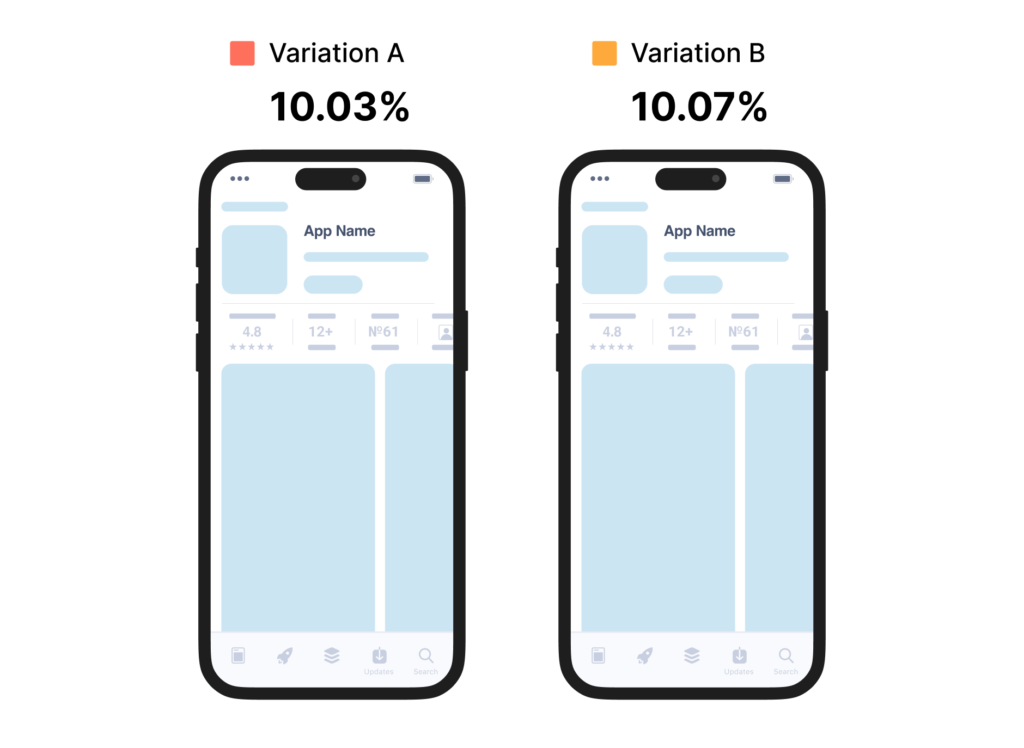
Image Source: https://splitmetrics.com/blog/guide-to-a-a-testing/
Why Some Companies Use A/A Testing
1. Catching Tracking Errors
Ever set up an A/B test, only to realize later that half your conversions weren’t being recorded?
That’s what happened to a growing online retailer (source: Instapage).
They ran an A/A test to verify their testing setup and found that >20% of their mobile visitors weren’t being tracked at all. If they had skipped the A/A test, they would have launched real experiments based on flawed data.
2. Validating a New Testing Tool
If you just switched to a new A/B testing platform, how do you know it’s not biased?
Companies that migrate to tools like Optimizely, VWO, or Google Optimize often run an A/A test first to see if traffic is truly split evenly and conversions are being counted correctly before they trust the tool for A/B experiments.
3. Creating a Baseline for Future Tests
Some teams use A/A testing to understand how much natural variation exists before they run an actual A/B test. If random chance causes one A version to perform 5% better, they know to be cautious before declaring a winner in future experiments.
Why A/A Testing Might Be A Waste of Time
While A/A testing sounds like a smart calibration tool, it also comes with serious downsides.
1. It Consumes Valuable Testing Time
Every week spent on an A/A test is a week you could have been testing real changes. If your business runs 5 tests a month, losing 2 weeks to an A/A test could mean you’re missing out on valuable revenue-generating insights.
👉 Example: Amazon runs thousands of experiments per year (Harvard Business Review). If they wasted time on A/A tests before every new A/B test, they’d fall behind competitors who are constantly iterating.
2. The Data Lies to You (False Winners and Losers)
Here’s the shocking part: 80% of A/A tests will show a “winner” at some point.
Why?
Because statistics are weird. Even though both versions are identical, small sample sizes and random chance can create false differences.
👉 Example: Copyhackers ran an A/A test and saw >20% difference between the identical versions (Source). Imagine if they had assumed this was a real difference instead of noise? They would have spent weeks chasing a ghost.
3. It Doesn't Catch Every Problem
If your goal is to verify tracking, an A/A test isn’t the only way.
Good QA testing will catch most tracking errors before an A/A test does.
Monitoring live test data will alert you to anomalies much faster than waiting weeks for an A/A test to finish.
What Experts Say:
Craig Sullivan, a veteran in CRO (Conversion Rate Optimization), argues that A/A tests often waste more time than they save (Source). He suggests that thorough QA, cross-browser testing, and real-time monitoring catch the same issues without delaying real A/B tests.
When Should You Actually Run an A/A Test?
✅ Use A/A Testing If:
✔️ You just switched to a new A/B testing tool and need to validate traffic splits.
✔️ You’ve recently changed how you track conversions and want to confirm accuracy.
✔️ Your site has multiple complex segments (e.g., different languages, locations, or user types).
❌ Skip A/A Testing If:
🚫 You’re just doing it because you heard it’s “best practice”—it’s not always necessary.
🚫 You don’t have enough traffic—A/A tests require large sample sizes to be reliable.
🚫 You can run proper QA, analytics verification, and test monitoring instead.
The Smarter Alternative: Get Straight to A/B Testing
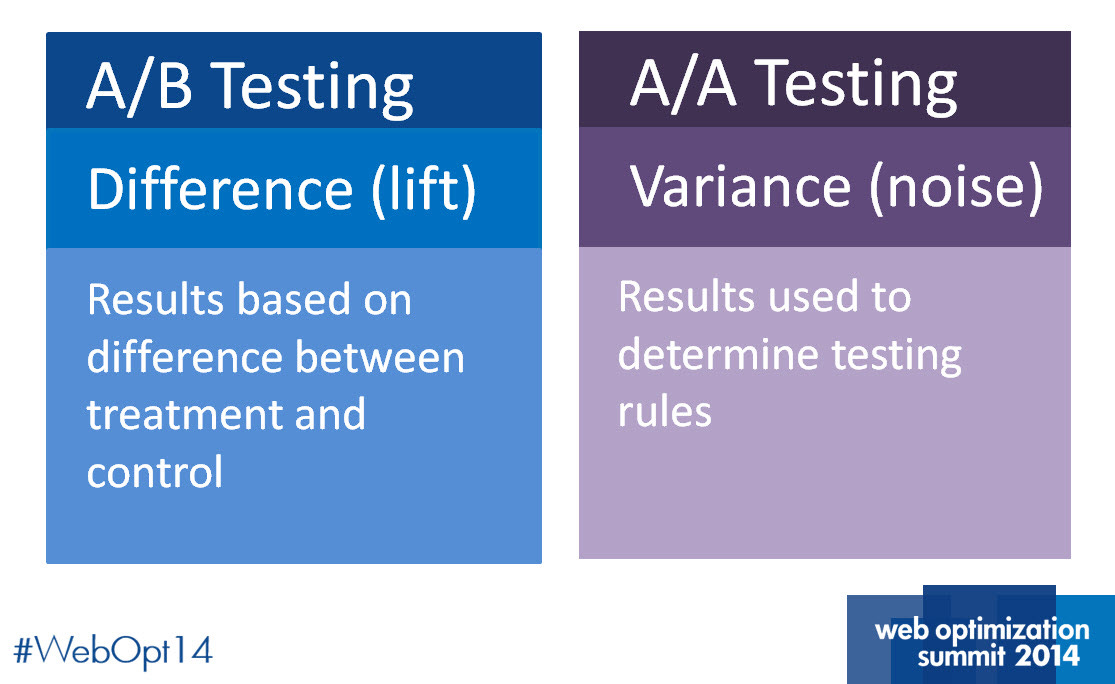
Image Source: https://marketingexperiments.com/a-b-testing/use-variance-testing-break-through-noise
If you want to maximize growth, you need to test actual changes.
🔍 What to do instead:
Run a thorough QA check before launching tests.
Monitor test results daily to spot tracking issues early.
Segment A/B tests properly to detect bias in real experiments.
💡 Takeaway: A/A testing isn’t useless, but it’s rarely the best use of your time. Instead, invest in better QA and experiment tracking—so you can focus on tests that actually move the needle.
Your Thoughts?
Have you ever run an A/A test? Did it save your experiment or just slow things down?
Drop a comment below—let’s talk about smarter testing!
References & Further Reading
Copyhackers: Home Page Split Test Reveals Major Shortcoming Of Popular Testing Tools
Harvard Business Review: How Surprising Power of Online Experiments
Instapage: What is A/A Testing, and Why Should Marketers Care?
Conversion Rate Experts: Why A/A is waste of time
Final Thought
If you’re running A/A tests without a good reason, you might just be stirring the same pot twice instead of trying new recipes. Test smarter, not just for the sake of testing.
At the end of the day, you need to decide: Are you brewing insights, or just refilling the same cup?
- ☕ Brewed by Chai & Data: Where Data Meets a Strong Cup of Insight.